English
Category:Tools
Version:12.7.00.20
Size:54.50M
Updated:2025-12-04
Language:English
Ratings:315
Package ID:com.samsung.android.calendar
Developer:Samsung Electronics Co., Ltd.
Samsung Calendar is the ultimate tool for efficient time management on Android devices. With its user-friendly interface and seamless event creation process, users can easily stay organized and never miss an important appointment again. The app's integration with various calendar services and customizable display options make scheduling a breeze, while features like recurring events, weather forecasts, and customizable widgets provide added convenience. Notifications ensure users stay on track, and intuitive navigation allows for easy access to upcoming schedules. Security and privacy considerations are also prioritized, making Samsung Calendar the perfect solution for those looking to streamline their scheduling tasks.
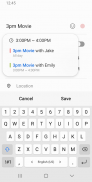
> Intuitive Interface: The app offers a straightforward and user-friendly interface, making it easy for users to create events and tasks quickly.
> Multiple Calendar Integration: Samsung Calendar can integrate with various calendar services, such as Google Calendar, allowing users to consolidate their schedules into one cohesive view.
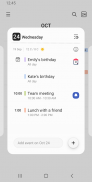
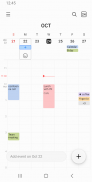
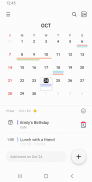
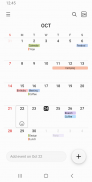
> Flexible Display Options: Users can view their schedules in multiple formats, including year, month, week, day, and task views, catering to different planning styles.
> Recurring Events: The app allows users to set recurring events, making it convenient for regular appointments or tasks.
> Can I customize the appearance of the calendar?
- Yes, Samsung Calendar offers various widgets with customizable options for a personalized experience.
> Does the app provide weather information?
- Yes, users can check the weekly weather forecast directly within the calendar.
> Are notifications available for events?
- Yes, users can set different types of notifications to receive timely reminders.
Samsung Calendar is a feature-rich scheduling app that offers a simple yet efficient way to organize events and tasks seamlessly. With its intuitive interface, multiple calendar integration, flexible display options, and various handy features like recurring events and weather information, users can enhance their time management skills and stay on top of their schedules effectively. Download Samsung Calendar now to streamline your planning and optimize your productivity.

Copyright © 2025 youkelai ALL Rights Reserved
altairitsdnbhd1@gmail.com